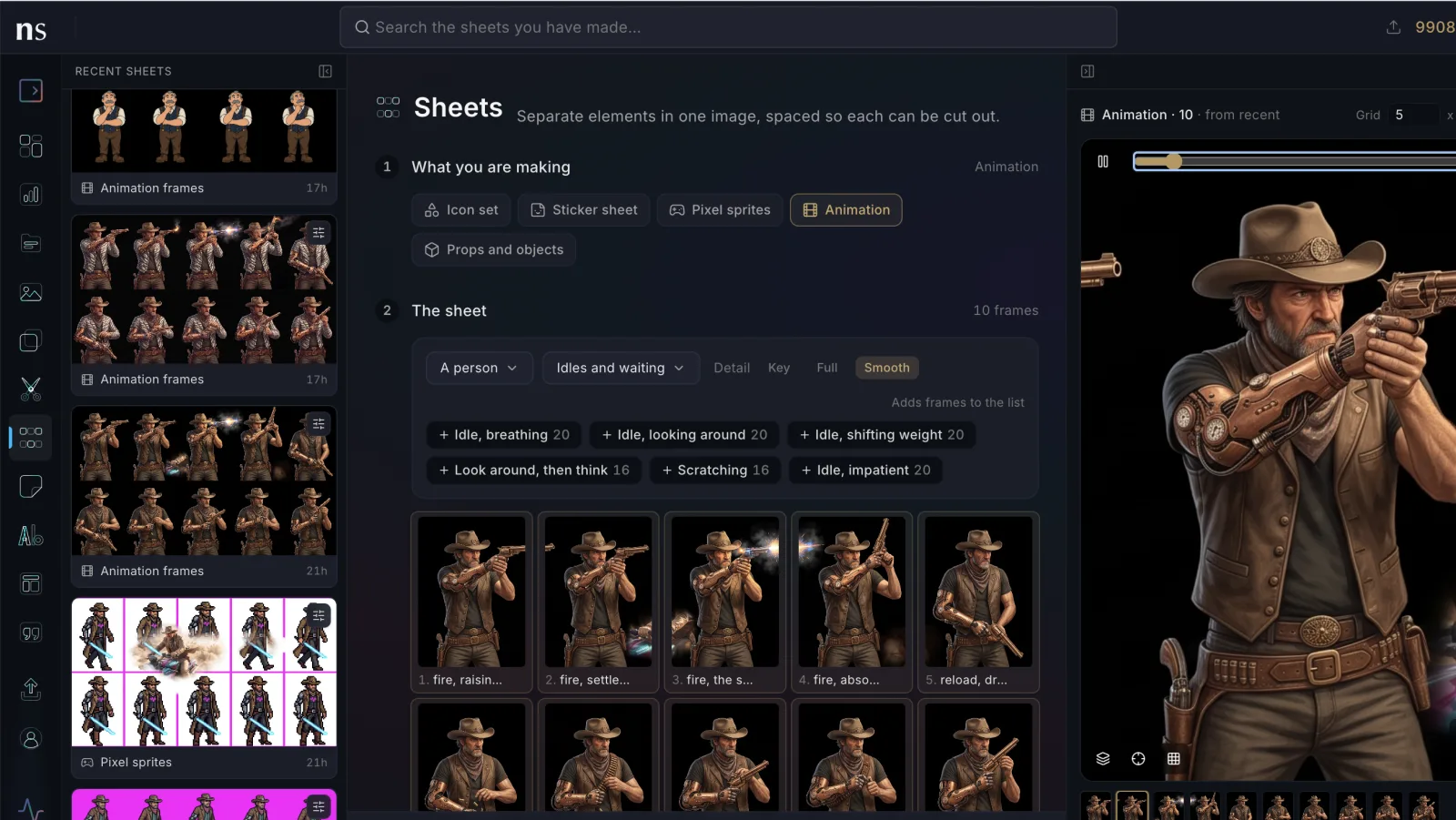
From now on this is where we write down what changed: new features, smaller upgrades to the ones you already use, and the bugs we fixed. Every couple of weeks.
This time, most of it is video.
Every video is searchable, and you can name what is in it
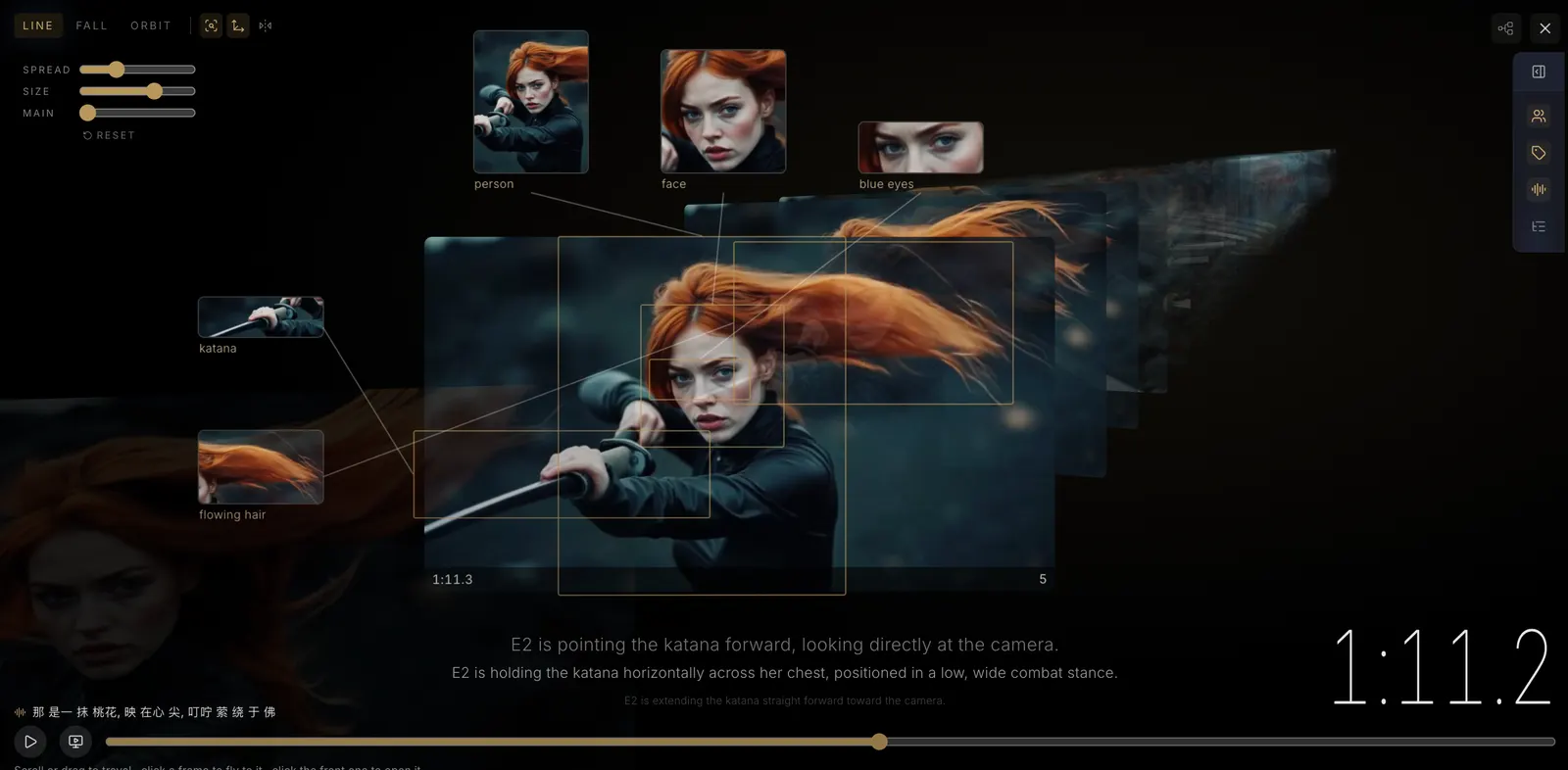
And you are not stuck with what the scan decided. Rename a person it labelled E2 and they carry that name through the whole clip. Draw a box around something it missed and that becomes findable too. Tag your cast once and every clip they appear in knows them — which is the point of the whole thing: a library you can ask questions of, not a folder of files you have to remember.
Results do not arrive as a list. They arrive as a time corridor — the clip's own frames standing in depth along its timeline, the matched ones lit, with callouts naming what each one contains. It comes in three shapes — Line reads like a strip, Fall drops the frames past you, Orbit curves them around — and clicking a hit flies to it rather than cutting, so you keep your sense of where you are.
- Carry a correction across the clip. Drag a box onto another frame to take it there, or bridge it across several at once, instead of fixing the same thing forty times.
- Watch a clip beside live close-ups of everything in it, each one cut to the shape of the thing rather than the detector's box.
- Every result says why it matched, so you are not guessing what the engine saw.
Every clip opens into a graph
Finding a moment is one thing. Changing it is another, and that is what “View as graph” opens: the clip laid out as cards on a canvas, where everything you do stays separate from the file itself.
This is the start of something rather than a finished tool, and we are saying so on purpose. The graph is where paths, versions and edits will live, and it will keep growing in that direction. What follows is what it does today.
You can take any stretch of a clip and branch it. The branch keeps its own frames untouched, so you can try something on it and still have the original sitting right there — and because a branch runs as its own lane, it stays obvious what came from where.
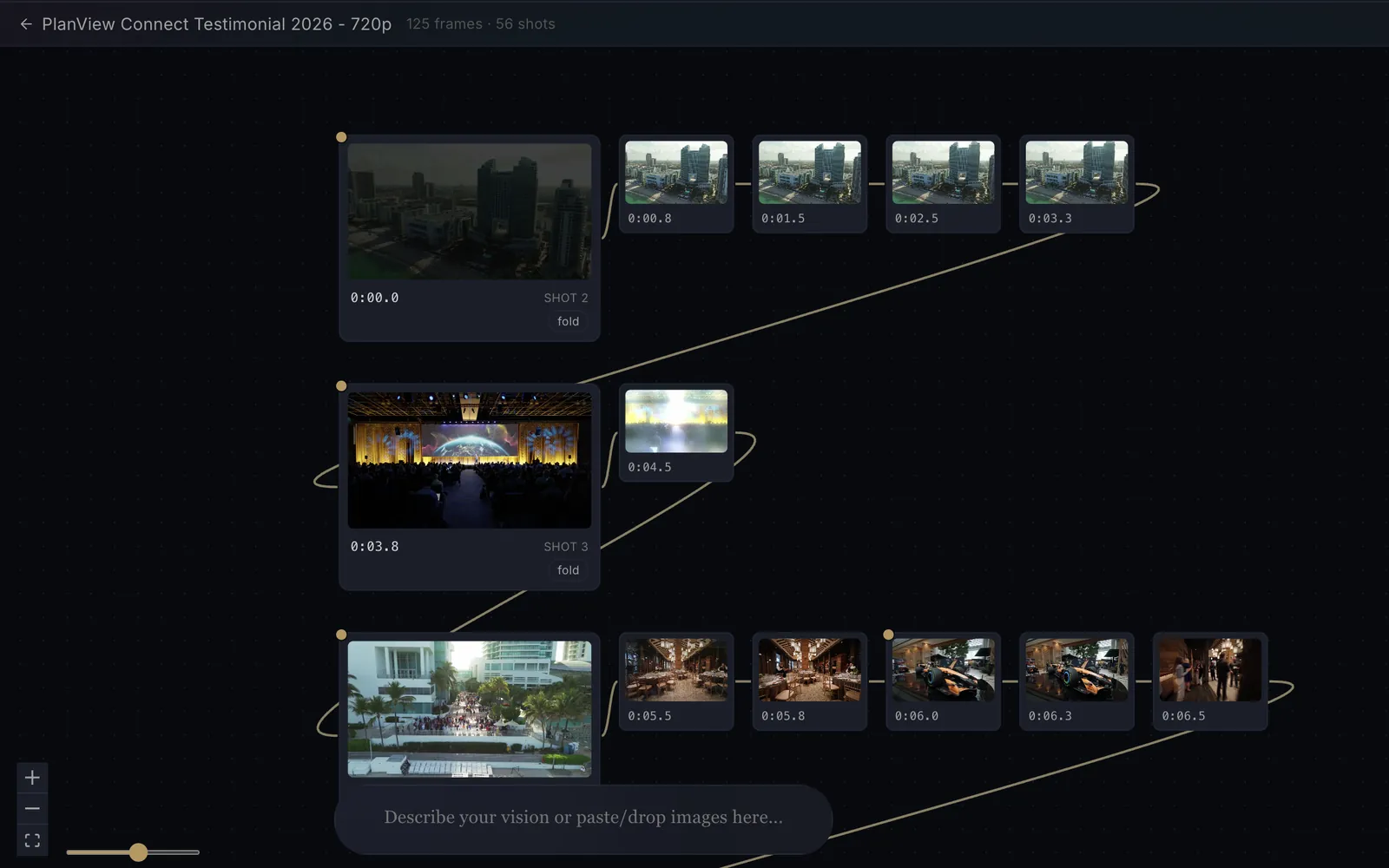
Inside a branch you can lay a still over a stretch of footage and erase it down to just the part that changed. It is the fastest way we have found to do a clean product swap, or a fix that has to hold across a few seconds without redoing the whole shot.
- Nothing is destructive — you watch the cut without the original file being touched.
- Take the cut out as a video file when you are happy with it.
- Edits are documents. A clip can carry several named edits, so a version for one client and a version for another live side by side instead of overwriting each other.
- Send any frame to a project. Pause anywhere, in any player, and the frame under the playhead goes straight into a project as an image you can work on.
- Unfold a stretch into its real frames, instead of guessing where a cut should land.
- Edit spans are priced against the codec's own keyframes, so what you are charged matches what actually has to be re-encoded rather than a round number we invented.
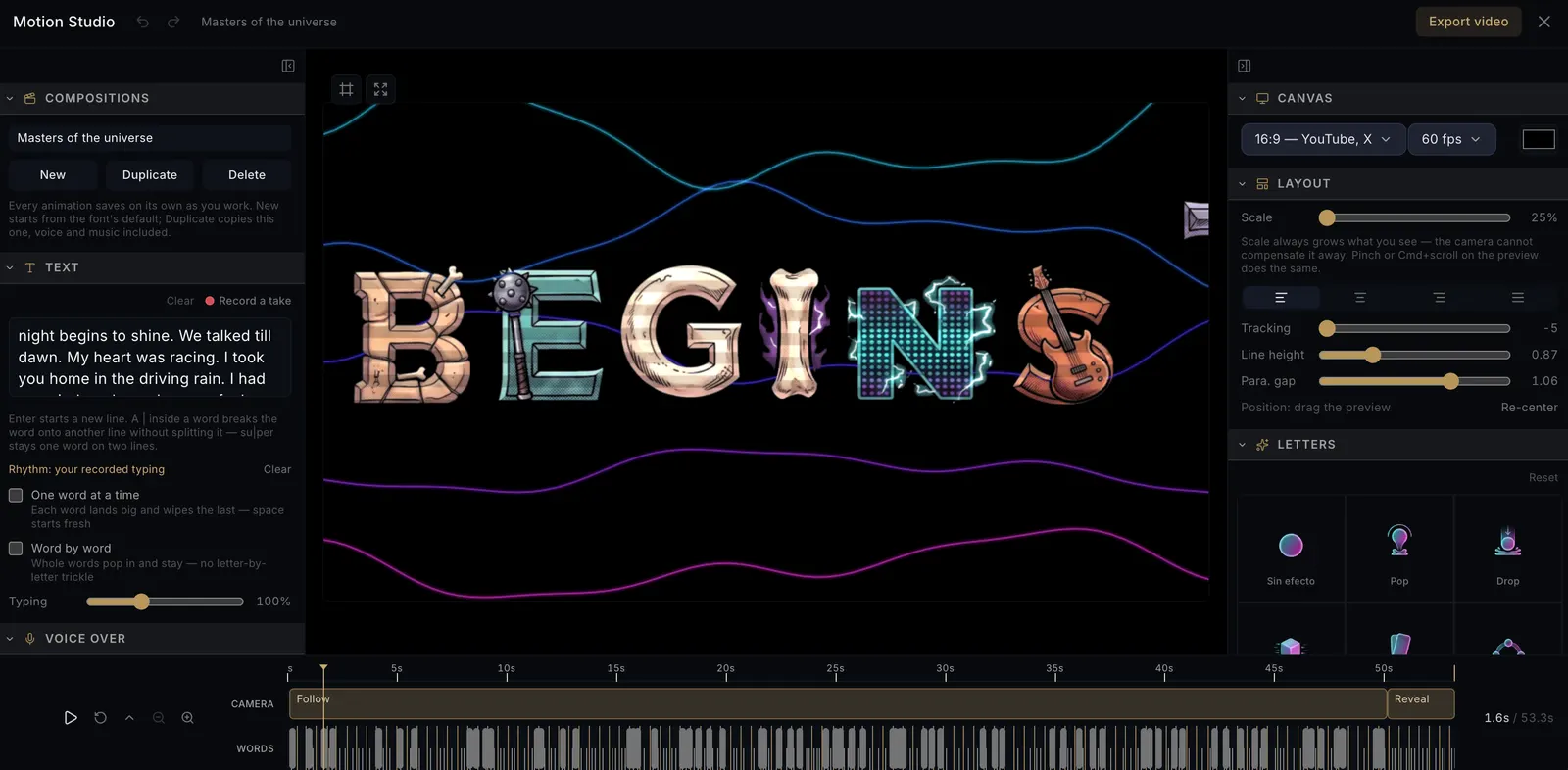
Motion Studio, if you have not opened it yet
What changed this fortnight is how each letter enters. A letter can pop in, drop from above, or settle into place — and that choice is separate from the artwork the letter is made of, so the same illustrated alphabet can read as playful or as deliberate depending on nothing but the entrance.
Plans and credits
Three additions here, and the theme running through all of them is that you should know the number before you agree to it.
- Yearly billing. Pay for twelve months at once, at the same rate, and the whole year's credits land the day you pay. No discount and no penalty — one payment, and a bigger pot to work from when a heavy month comes early.
- The price you would actually pay, before anything is charged. If you already have a plan, the options no longer show you the list price. They show what would leave your card today for the rest of your current period, how many credits that adds, and what you pay from your next renewal on. Then it asks you to confirm.
- A heads-up before you run out. When your balance gets low we tell you once, by email and in the app, while there is still time to act — instead of you finding out from a generation that refuses halfway through.
For people working through agents and the API
Landing this week: the search tool available to connected agents now exposes the whole engine rather than a sliver of it — project scoping, browse and colour and similar modes, filters by type, style, aspect and colour, and per-hit detection regions with their bounding boxes.
Smaller things
- The overlay eraser has a softness dial, so an edge can be feathered into the footage instead of cut hard against it.
- A video in your search results plays a few of its frames when you point at it, so you can tell clips apart without opening any of them.
- Credits added to your account now say so, and say where they came from. A gift arrives signed by the person who sent it, in your language rather than ours.
- The reference column on a clip's page folds away when you want the picture to itself.
- Photos and video now use the same words for the same things — which stops mattering only when you search across both.
Fixes
Everything we corrected this fortnight, in one place.
- Searching for several words now narrows instead of widening. An AND was behaving as an OR, which meant adding a word could return more results rather than fewer. This one was worth the whole list.
- Moving up a plan can no longer bill you twice. It used to be possible to end up with a second subscription instead of a changed one. A plan change now costs the difference and nothing else.
- Running out of credits offers a way forward everywhere. Only a couple of screens used to notice; the rest left you with an error and no next step.
- Deleting a video now takes its files with it.
- Work that never started no longer spins forever.
- Reference pickers that swore you had no images now show the ones you do.
- Every dial can step back to neutral — some of them could not be reset once moved.
- A clip keeps exactly one scan. Rescanning cleans up after the last one instead of leaving both behind.